Gestionarea modulelor cookie care sunt utilizate pentru publicitate, cum ar fi personalizarea anunțurilor, remarketing și analiza performanței anunțurilor.
2.6.1.1.5. Restrict access to MySQL
MySQL access restriction is not available on business hosting due to the peculiarities of the implementation of this service.
MySQL security is managed in the "Databases" section. Security settings allow you to restrict access to databases of the hosting account using phpMyAdmin and via external connections. Access from sites within the same hosting account is not restricted. Changes take effect instantly.
List of allowed addresses
Add addresses
Important points:
- Only single IP addresses can be specified. You cannot specify subnets.
- You cannot add local network IP addresses (starting with
192.168.*.*,10.*.*.*,172.16.*.*,127.*.*.*). Use the tool to determine your external IP address.
- Open the "Databases" section.
- At the bottom of the page, click "Add IP to allowed list".
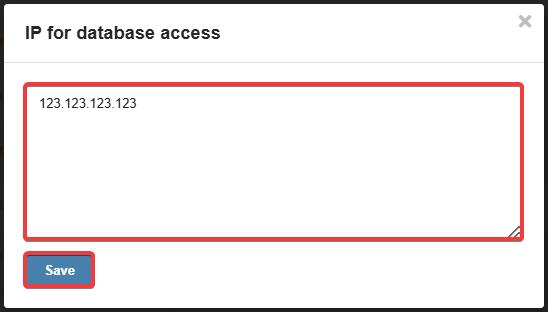
- Specify the desired IP addresses (each on a new line) and click "Save":
Delete addresses
- Open the "Databases" section.
- At the bottom of the page in the list of allowed addresses, in the row with the IP you want to delete, press ❌:

Enable/disable access restriction
- Open the "Databases" section.
- At the bottom of the page above the list of allowed addresses, click "IP restriction disabled/enabled".
(1)
Comentarii