Gestionarea modulelor cookie care sunt utilizate pentru publicitate, cum ar fi personalizarea anunțurilor, remarketing și analiza performanței anunțurilor.
2.5.2.2.3.6. Show hidden files in WinSCP
By default, hidden files are displayed in WinSCP. If they are not visible, use any of the following methods:
- Or press the shortcut Ctrl+Alt+H.
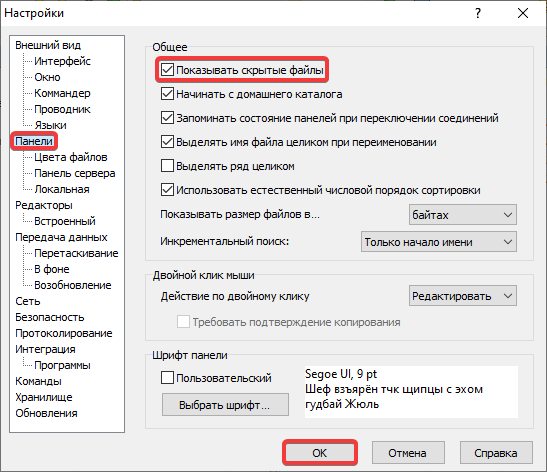
- Either open the WinSCP settings through "Options → Preferences" in the main menu or by using the shortcut Ctrl+Alt+P and in the "Panels" section enable "Show hidden files":