Gestionarea modulelor cookie care sunt utilizate pentru publicitate, cum ar fi personalizarea anunțurilor, remarketing și analiza performanței anunțurilor.
4.3.2.15. Encrypt emails in WebMail classic
When you use web client WebMail, you can encrypt emails with OpenPGP standard using browser extension Mailvelope. Extension is available for Chrome and Firefox.
After installation, click extension icon and select setting. You will be taken to section where you can create a key, or, if you already have a key pair, import it.
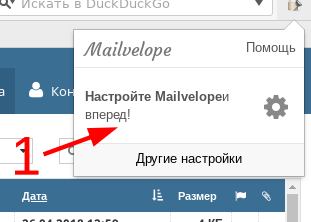
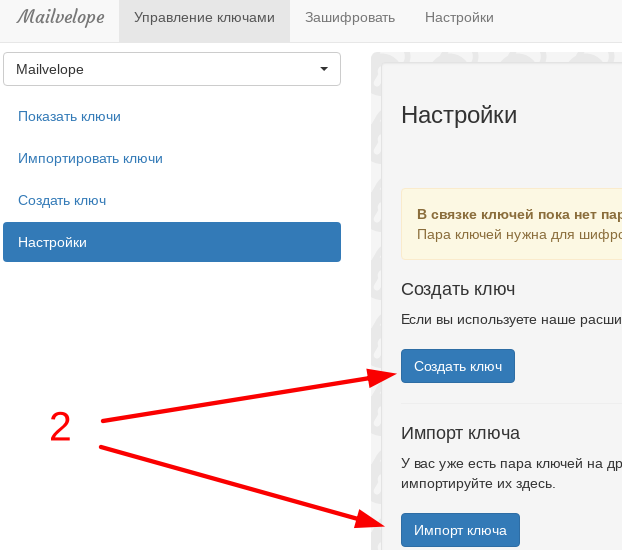
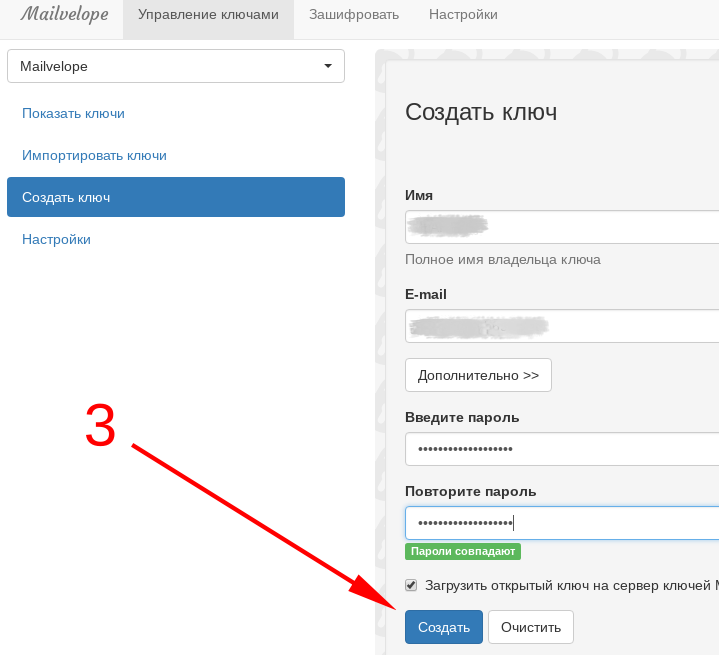
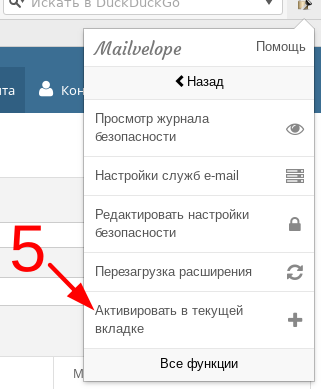
After completing configuration, return to WebMail and click extension icon again. Select "Additional", and then "Activate in the current tab".
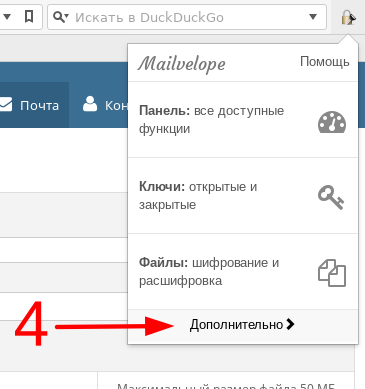
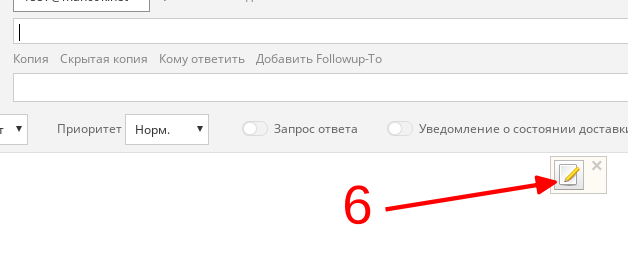
After you complete the actions described above, WebMail will display a new icon in the message composition window. By clicking it, you can enter email text, specify which key owners can decrypt it, and encrypt entered text. It will be added to WebMail window already in encrypted form.
The recipient key is automatically imported if it was previously uploaded by the owner to key server. Otherwise, you must first manually import the interlocutor key. Similarly, your (public) key must be known to the recipient. Unlike the public key, you must store the private key in a secure place and not share it with anyone.
Attention!
When using the extension in Chrome, you must disable the "Automatically send usage statistics and crash reports to Google" option in browser settings. Otherwise, if browser crashes, part of data from memory containing private key can be sent to Google.Official extension documentation is available here.