Gestionarea modulelor cookie care sunt utilizate pentru publicitate, cum ar fi personalizarea anunțurilor, remarketing și analiza performanței anunțurilor.
2.5.1.11. Analyze disk space using file manager
For faster and more convenient analysis, you can use the console utility ncdu.
By default, the file manager displays only file sizes. You can view information about directory sizes and the number of inodes in several ways.
Single directories
Size
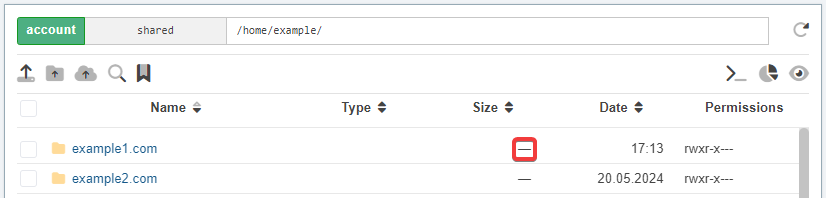
In the list of files in the row with the directory in the "Size" column, click on the dash. After that, the size of the directory will be calculated and displayed. Clicking the size again will update the information.
Size and inodes
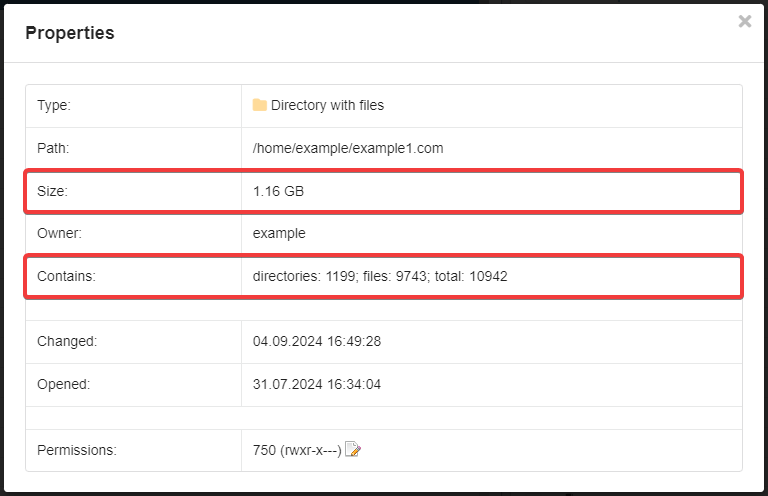
Select the directory, open the context menu and select "Properties". The properties window will contain information about the size and inodes.
All files and directories
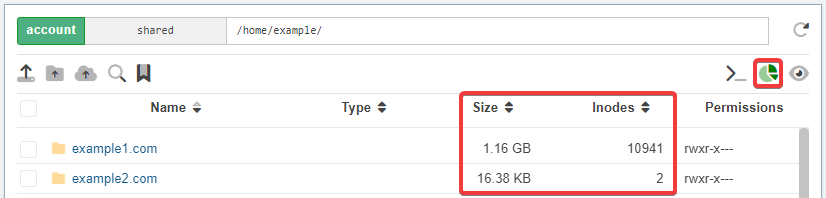
The size and number of inodes are calculated only for the first 100 directories in the file list.
In the toolbar, click the "Show directory sizes and number of inodes" button. After that, the "Size" column will display the sizes of all directories and the "Date" column will display the "Inodes" column instead of the "Date" column.
(7)